- Out-of-Stock
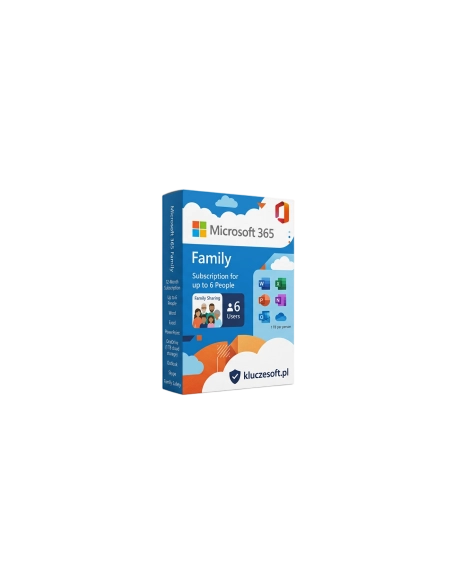




Microsoft 365 Family is a comprehensive subscription suite that provides access to the latest versions of Microsoft Office applications, such as Word, Excel, PowerPoint, and Outlook. The subscription covers up to 6 users, allowing access to be shared with family members. Each user receives 1 TB of OneDrive cloud storage, enabling file storage and sharing as well as secure backup creation. The suite also offers additional security features and access to Microsoft technical support. Microsoft 365 Family is an ideal solution for families that require versatile tools for work and study.
Office for the whole family — up to 6 users, 6 TB of OneDrive, and the latest apps for 12 months
 Up to 6 users
  ️ 6 TB OneDrive
  12 months
Microsoft 365 Family is a 12-month subscription for up to 6 users. Each family member gets full access to Word, Excel, PowerPoint, Outlook, and OneNote on all their devices, plus a separate 1 TB of OneDrive storage (6 TB total). Per user, this is the cheapest option available — with 6 users, the cost per person is several times lower than Microsoft 365 Personal. An additional benefit: Microsoft Family Safety helps protect children online.
️1 TB OneDrive (x6)
Office for parents (work, finances) and children (school, projects). Everyone has their own account, private OneDrive, and personal settings — privacy for every user.
Word for assignments, Excel for analysis, and PowerPoint for presentations. 1 TB of OneDrive for study materials, notes, and photos — synced between laptop and phone.
Up to 6 users — they do not need to be related. Flatmates, friends, or partners can each receive full Office and 1 TB of cloud storage.
Microsoft Family Safety: screen time controls, content filtering, family member location tracking, and activity reports — enhanced protection for children online.
Each person has their own Microsoft account with full Office, 1 TB of OneDrive, and private settings. Family members are invited by email, and each user signs in to their own account.
️Every family member receives 1 TB of personal cloud storage — 6 TB in total. Photos, videos, documents, and backups for the entire household.
Each user can install Office on up to 5 devices at the same time. For 6 users, that means up to 30 devices in total — PC, Mac, tablet, and phone.
Parental controls include screen time limits, content filters, activity reports, and GPS location tracking for family members. Better online safety for children.
Automatic updates to the newest versions of every app. New features, templates, and AI tools (Copilot) are added monthly for each user.

AI assistance in Word, Excel, and PowerPoint for every family member. Support with writing, formulas, and presentations — intelligent tools designed for everyday family use.
Each family member receives 60 minutes per month for Skype calls to phones in 60+ countries. That is 360 minutes per month for the whole family.
With 6 users, the annual cost per person is around €12-16 — significantly cheaper than Microsoft 365 Personal (around €70/year) and more affordable than any one-time Office suite.
Microsoft 365 Family offers outstanding value in the Microsoft range — full Office, 1 TB of OneDrive, and advanced security for up to 6 users at a price only slightly higher than Microsoft 365 Personal for one person. Per user, the cost is exceptionally low.
When you buy from Licensier, you receive an original license key for 12 months at a cheap price — often 20-40% less than in the official Microsoft Store. Instant delivery means your whole family can start using Office within minutes. Every order includes an original license, fast digital fulfillment, and a VAT invoice.
Family Safety is an additional advantage — parental controls, content filters, and activity reports help protect children online. This is more than an office suite; it is a complete solution for the modern family.
| License type | 12-month subscription |
| Number of users | Up to 6 users |
| Devices per user | Up to 5 simultaneously (PC, Mac, tablet, phone) |
| Total devices | Up to 30 (6 users x 5 devices) |
| Applications | Word, Excel, PowerPoint, Outlook, OneNote |
| OneDrive storage | 1 TB per user (6 TB total) |
| Outlook mailbox | 50 GB per user |
| Skype | 60 minutes/month per user (360 minutes total) |
| Family Safety | Yes — parental controls |
| Microsoft Copilot | Yes (AI for every user) |
| Platforms | Windows, macOS, iOS, Android |
M365 Family offers the best value for 2+ users — up to 6 people, each with 1 TB of OneDrive, for around €95/year (about €16 per person). M365 Personal offers the same core apps for 1 user at around €70/year, so Family is much cheaper for households or groups. Office 2024 (a one-time license) does not include OneDrive, Outlook, or ongoing updates — lower long-term cost, but without cloud features or AI. If your family has 2 or more people who need Office, Family is clearly the best choice.
12-month activation code for the whole family — delivered in minutes
No. “Family” is simply the name of the subscription, but you can invite any 5 people — flatmates, friends, or your partner. Each person needs their own Microsoft account, and you as the organiser manage the invitations.
Yes, every family member receives their own private 1 TB of OneDrive storage. Files are not shared automatically — each user has their own personal space. However, selected folders and files can be shared with other members.
Family supports up to 6 users, each with 1 TB of OneDrive, while Personal is for just 1 user with 1 TB. Both versions include the same applications and features. Family also includes Microsoft Family Safety for parental control. In terms of value, Family is far better for 2+ users.
The subscription expires for all family members at the same time. Office applications switch to read-only mode. Files stored on OneDrive remain available for an additional period. Renew the subscription with a new code from Licensier to restore full functionality.
Sign in to account.microsoft.com/family, click “Add a family member”, and enter their email address. The invited person will receive an email with a link to join. After accepting the invitation, they can install Office and use 1 TB of OneDrive.
Yes, buy another license key from Licensier and activate it on the organiser’s account. Subscription time stacks — for example, 6 months remaining + 12 new months = 18 months total. You can accumulate up to 5 years of subscription in advance.
Yes, Microsoft 365 Family supports Windows, macOS, iOS, and Android. Each family member can install full Office on their computer (PC/Mac), tablet (iPad/Android), and phone (iPhone/Android).
Microsoft Family Safety is a parental control tool that offers screen time limits for apps and games, content filters in the Edge browser, activity reports, and GPS location tracking for family members. Available on Windows, Android, and iOS, and included with the Family subscription.
Each member has a private 1 TB OneDrive, but they can share selected files and folders with other family members or anyone else via link or invitation. It is also possible to create shared family folders.


 ️
️
Data sheet
Specific References
Microsoft 365 Family is a comprehensive subscription suite that provides access to the latest versions of Microsoft Office applications, such as Word, Excel, PowerPoint, and Outlook. The subscription covers up to 6 users, allowing access to be shared with family members. Each user receives 1 TB of OneDrive cloud storage, enabling file storage and sharing as well as secure backup creation. The suite also offers additional security features and access to Microsoft technical support. Microsoft 365 Family is an ideal solution for families that require versatile tools for work and study.